Free resume builder for US and Canadian jobs
CompleteCV is a free resume builder: pick a template, type your details with a live preview, and download a clean one- or two-page PDF. Build without signing up, then download with a free account: no watermark and nothing to pay.
- 100% free PDF download
- Free account to download
- No watermark
Last updated
How the free resume builder works
- 1
Choose a free resume template
Start with a clean, single-column layout if you are applying through online job portals. You can switch templates later without retyping anything.
- 2
Fill in each section with a live preview
Add your contact line, a short summary, work history, education and skills. The preview beside the form shows exactly how the page will look, so you can see when you spill onto a second page.
- 3
Download your resume as a free PDF
Download as many times as you like. There is no watermark, no trial and no payment step. Keep a backup file so you can edit and re-download later.
Free resume templates that suit US and Canadian employers
Recruiters in North America skim quickly, and many applications pass through tracking software first. These layouts keep a clear reading order, no photo by default and room for results.
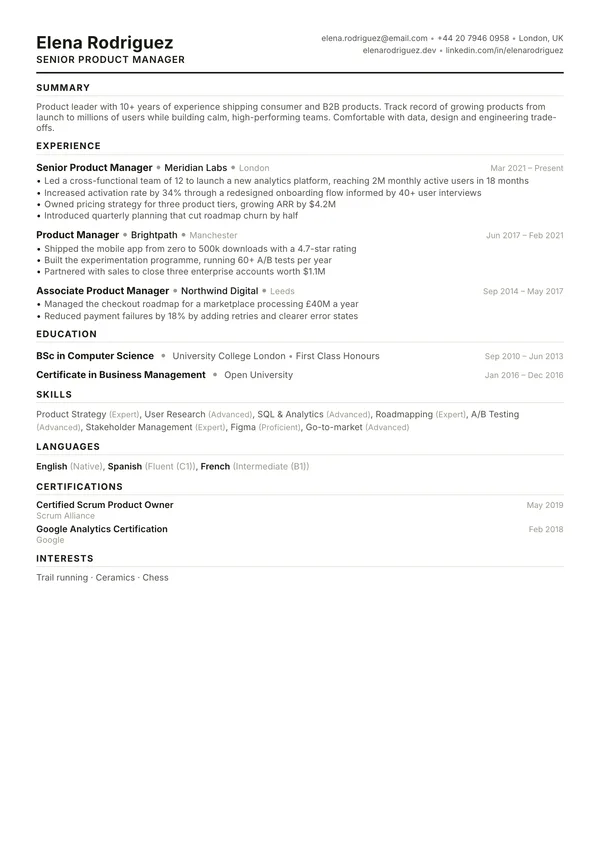
Summit
Dense single column. Fits a lot on one page.
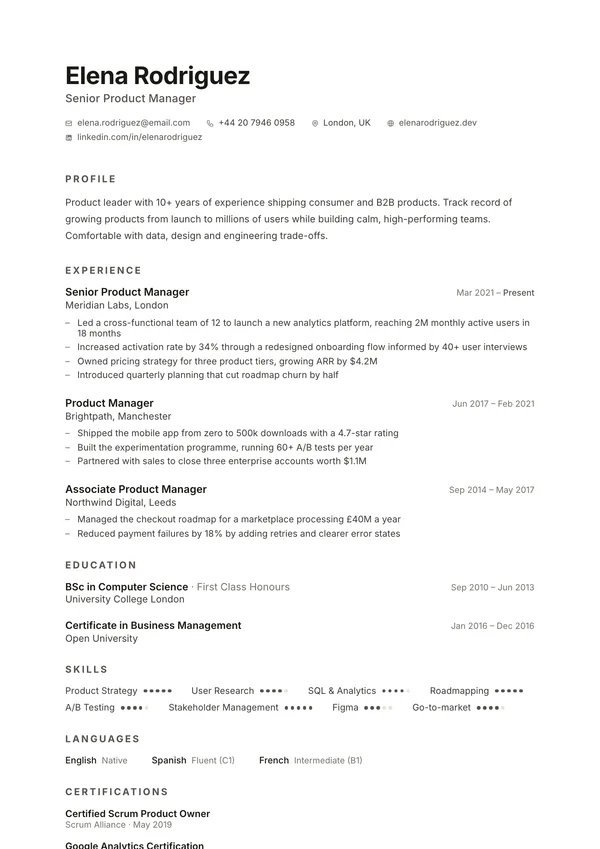
Slate
Minimal and quiet. Lets your results do the talking.
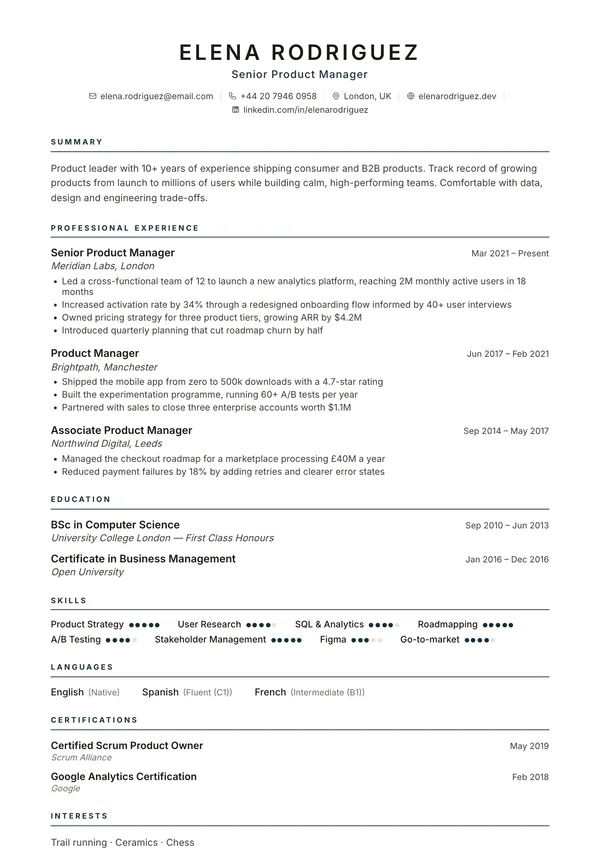
Atlas
Classic centred header. Safe for any industry.
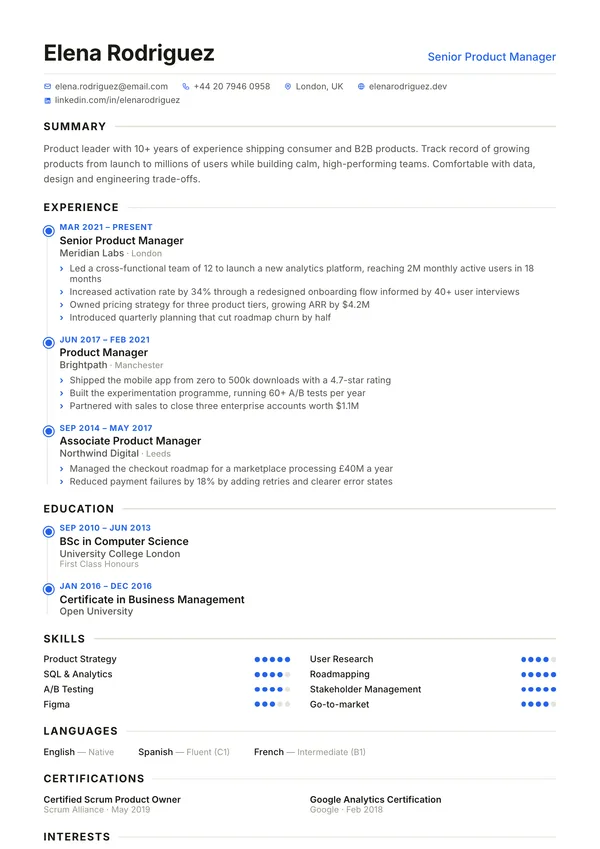
Meridian
Timeline layout that makes career steps easy to follow.
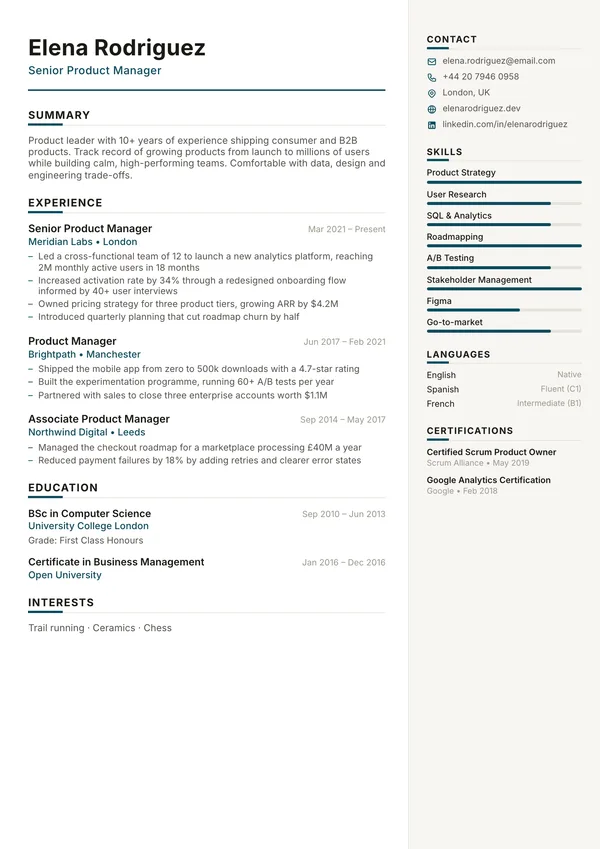
Harbor
Calm right sidebar for skills. Corporate-friendly.
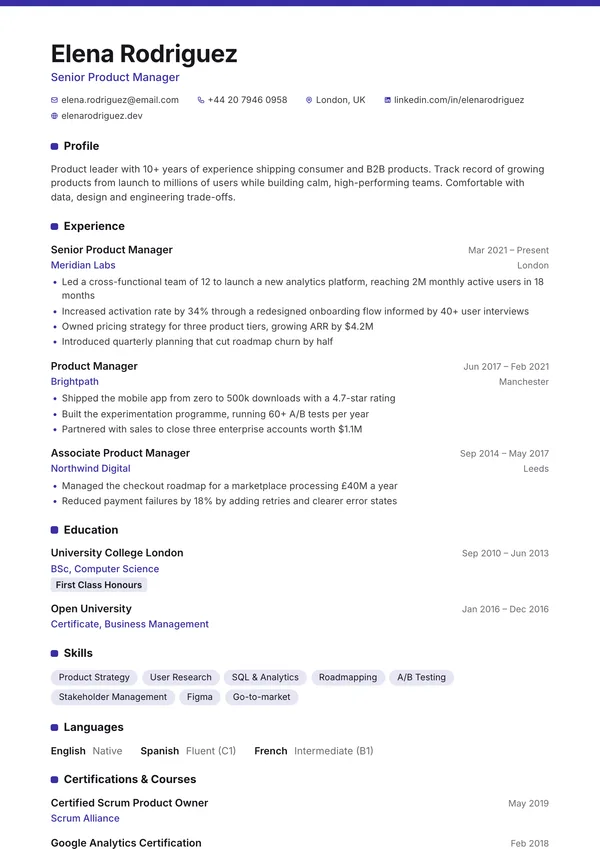
Campus
Education and projects first, for students and new grads.
What a US or Canadian resume should include
A North American resume is a short sales document, not a full career history. Hiring managers expect one page for early-career roles and up to two for experienced candidates, with the most relevant work near the top. Personal details that are normal on CVs elsewhere are usually left off, because employers avoid information that could lead to discrimination claims.
Include
- Name, city and state or province, phone, email and a LinkedIn or portfolio link
- A two to three line summary aimed at the job you want
- Work history in reverse order, with results you can measure
- Education, certifications and licences
- A skills section that mirrors the wording in the job posting
Usually leave out
- A photo (most US and Canadian employers prefer not to see one)
- Date of birth, age, marital status or nationality
- Your full street address
- Salary history
- "References available on request"
Write bullets that show results
Start each bullet with a strong verb and end it with an outcome. "Answered customer emails" tells a reader what the job was. "Cut average email response time from two days to six hours" tells them what you did with it. Aim for three to five bullets for recent roles and fewer for older ones.
Tailor it to each posting
Read the job posting and reuse its exact terms where they are true for you: if it asks for "project management", do not write only "managed projects". Small changes to your summary and skills for each application make a bigger difference than a new design.
Canada: a few small differences
Canadian resumes follow the same rules as US ones. Use Canadian spelling if the employer does, list language skills if you speak French or another language the role values, and add your work authorization status if you are new to the country and the posting does not make it clear.
Why this resume builder is free, with no watermark
Many "free" resume builders let you type for free and then ask for payment at the download button, or add a watermark until you subscribe. CompleteCV does neither. Every template, the PDF download and a daily resume review are free. An optional Pro plan adds extras, never the download, which only needs a free account.
Any ads on CompleteCV appear only on guide and article pages, never inside the builder or next to the download button. You can build without signing up; the download needs a free account, with no payment details.
Frequently asked questions
Is this resume builder really free?
Yes. Every template, the live preview and the PDF download are free. There is no watermark, no trial period and no payment wall at the download button.
Do I need to sign up?
Only to download. Open the builder and start typing without signing up; your resume is saved in your own browser as you work. To download the PDF, create a free account with an email code or Google, with no payment details.
Should my resume be one page or two?
One page is the norm for students, recent graduates and most people with under about ten years of relevant experience. Two pages is fine for senior roles when the extra space holds relevant, recent achievements. Go beyond two pages only for academic or federal applications that ask for more detail.
What is the difference between a resume and a CV?
In the US and Canada, a resume is the short, tailored document used for most jobs, while a CV is a longer academic record of research, teaching and publications. In the UK, Ireland, Europe, Africa and much of Asia, "CV" simply means what Americans call a resume. The builder works for both.
Will my resume get through applicant tracking systems (ATS)?
The PDF contains real, selectable text rather than an image, which ATS software can read. For the safest results choose a single-column template, use standard section headings such as "Experience" and "Education", and use the same skill names as the job posting.
Should I put a photo on a US or Canadian resume?
Usually not. Employers in both countries tend to avoid photos to reduce the risk of bias claims. Leave the photo off unless you work in a field such as acting or modelling where it is expected.
Can I edit my resume later?
Yes. Your resume stays in the browser you used, so you can come back and edit it. Use Export to save a backup file, which you can import on another device.
Can I get feedback on my resume?
Yes. The Review tab in the builder gives you a free review with a score, what is working and specific fixes. Add the job title you are applying for to get tailored advice. The review needs a free account, with 1 review a day (5 with Pro).
Keep going
- Free CV and resume templates Browse every template and preview it full size.
- Free CV maker Applying in the UK, Europe, Africa or India? Read how CVs differ there.
- Free ATS checker Check how applicant tracking software reads your resume.
- Cover letter examples Pair your resume with a short, specific cover letter.
- Resume examples See finished examples for common jobs.
- Open the resume builder Start building now, no sign-up needed to begin.