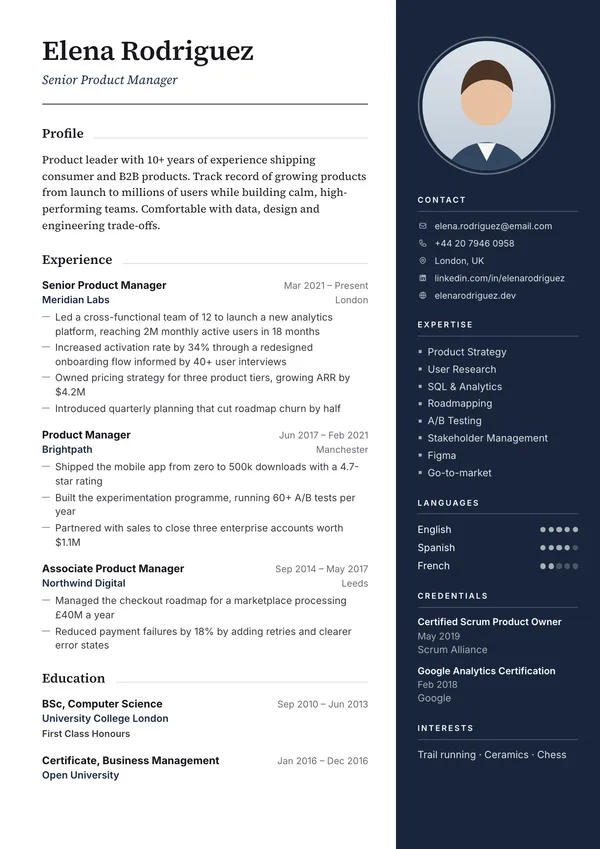
Shown with sample content. Every colour can be changed.
Professional template
Gable CV Template — Free Download
Gable is an executive CV with a deep navy panel on the right for your portrait photo and key facts, and a serif name above your career. It suits senior roles in places where an executive photo is common.
- Free PDF download
- No watermark
- Free account to download
- Style
- Professional
- Layout
- Two columns
- Photo
- Yes (can be switched off)
- ATS-friendly
- Partly (two columns)
- Best for
- Senior, managers and executives
- Paper
- A4 and US Letter
Who the Gable template suits
Gable is a good fit for senior, managers and executives. At a glance: a deep navy right panel with a portrait photo, and a serif name above the career column.
- Executive
- Finance
- Law
- Board roles
Designed around a photo, which is common in much of mainland Europe, the Middle East, Africa and parts of Asia. For the US, Canada, the UK and Ireland, switch the photo off: the layout still looks complete without it.
Is Gable ATS-friendly?
Partly. Gable has two columns. Most current applicant tracking systems read two-column PDFs, but some older portals mix the sidebar text into the main column. Use Gable when you email your CV or hand it over; for large online portals, a single-column template such as Marlow is the safer choice.
Whichever template you pick, download your PDF and run it through our free ATS checker to see the text a tracking system extracts.
How to use the Gable template
- 1. Open it in the builder. Click "Use this free template". If you already have a CV in the builder, it switches to Gable and keeps your content.
- 2. Fill in each section. The live preview shows page breaks exactly as they will appear in the PDF.
- 3. Adjust the design. Change the accent colour, font size and spacing, or rename and reorder sections.
- 4. Download the PDF. Free, with no watermark, and you just need a free account to download.
Similar templates
All templates →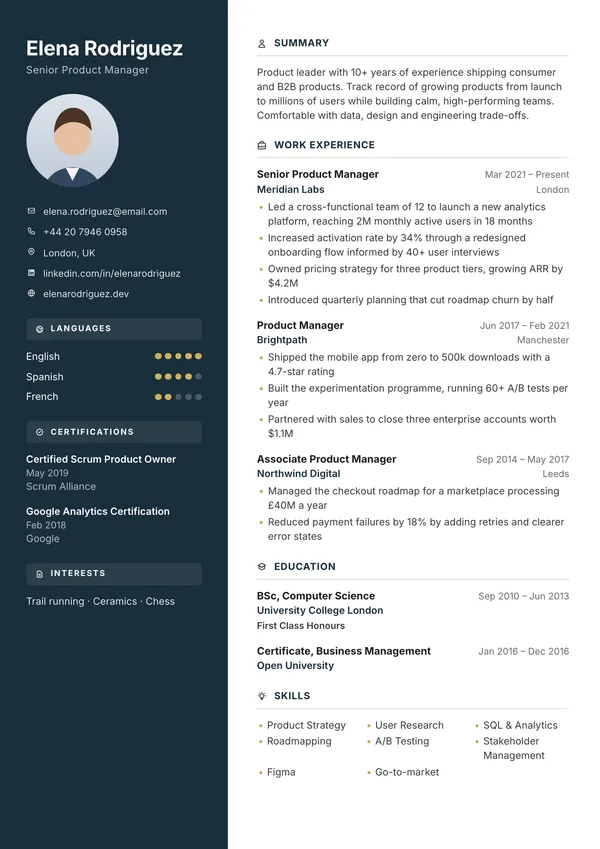
Bale
Two-column layout with navy sidebar, circular photo, and gold accents.
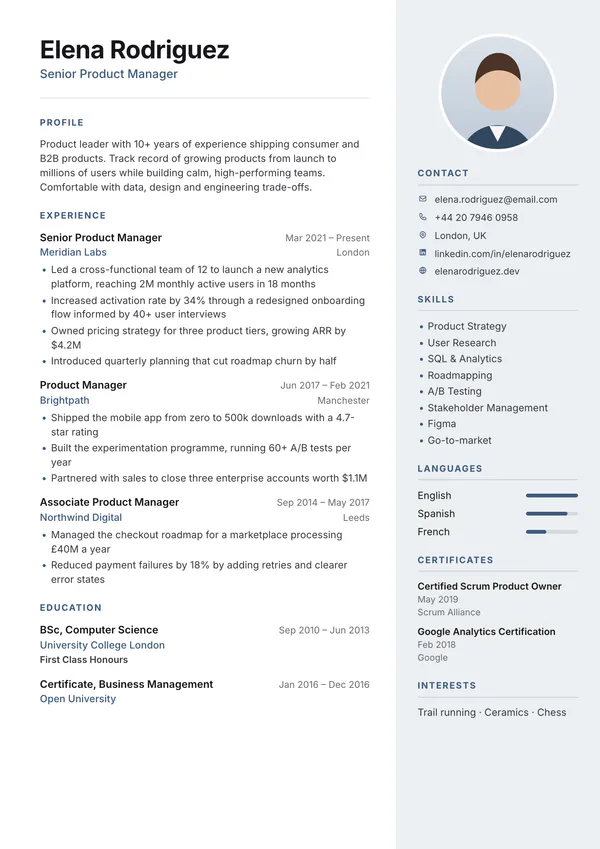
Sable
Name-first main column with a soft tinted right panel holding photo, contact and skills.
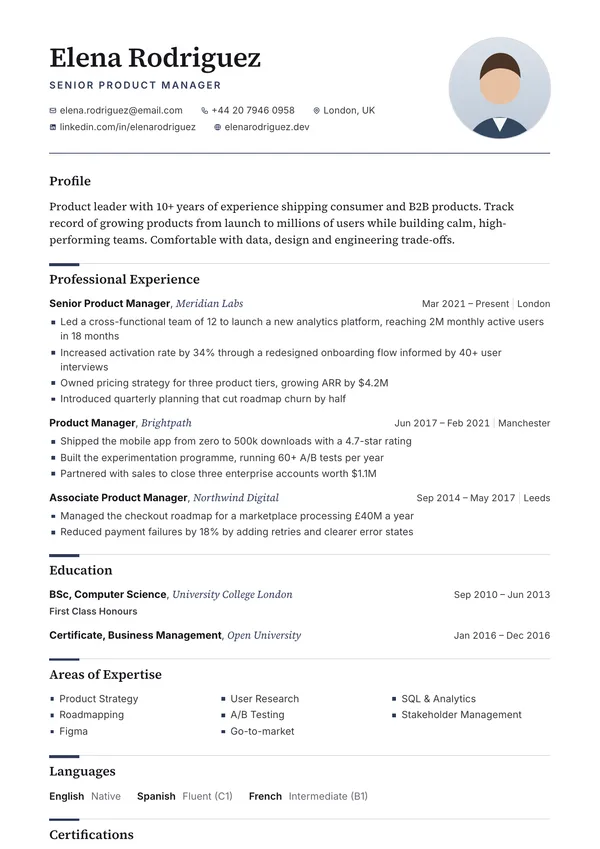
Marlow
Serif executive CV with a portrait photo beside the name and one-line entry heads.
Sterling
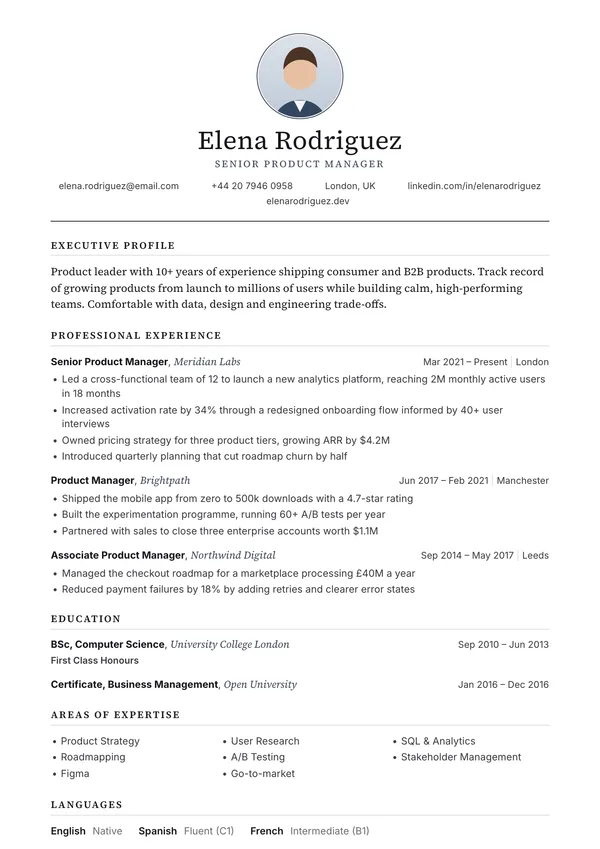
Executive CV with a round photo, centred serif name and small-capital headings.
Frequently asked questions
Is the Gable template free?
Yes. You can edit the Gable template and download it as a PDF for free, as many times as you like. There is no watermark, and you just need a free account to download.
Is Gable ATS-friendly?
Partly. Gable has two columns. Most current applicant tracking systems read two-column PDFs, but some older portals mix the sidebar text into the main column. Use Gable when you email your CV or hand it over; for large online portals, a single-column template such as Marlow is the safer choice.
Can I use Gable without a photo?
Yes. Gable is designed around a photo, but you can switch the photo off in the builder and the layout closes up neatly. Leave it off for jobs in the US, Canada, the UK and Ireland.
Who is the Gable template best for?
Senior, managers and executives, especially in executive, finance, law. It works for other fields too: the content matters more than the design.
Can I change the colours and fonts in Gable?
You can change the accent colour, font size, line spacing, date format and page size (A4 or US Letter), and rename, hide or reorder sections. Your content stays the same if you switch to another template later.
Examples and tools
- Resume summary examples Summaries by field and experience level.
- Teacher resume example Licences up front and classroom results.
- CV examples Sample CVs for the UK, Europe, Africa and India.
- Free ATS checker Check how a tracking system reads your finished PDF.
- All free CV templates Filter by photo, layout and style.